

Request and share client reviews
⏵ Get a feedback
Section titled “⏵ Get a feedback”There are several methods for requesting a client feedback:
- Under Menu → Reviews
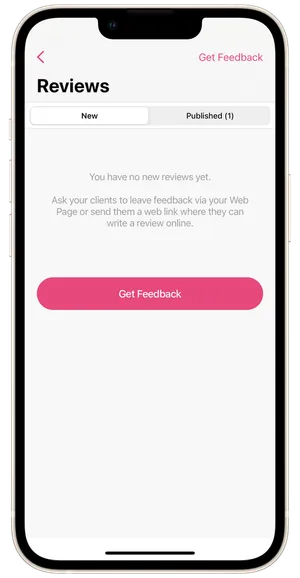
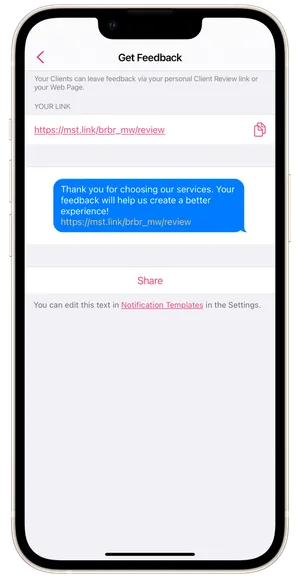
Open the section and tap on Get Feedback in the top right corner. Copy the feedback request link and send it manually to the client. Or you can tap Share and choose a way to send it to the client you want to ask for a review.
- From the client profile under Menu → Clients
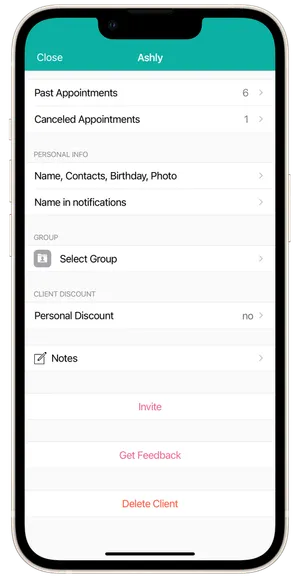
Open the profile of the client you want. At the bottom, tap, Get Feedback and choose how to send it.
- In a Follow-Up notification
Copy the link to the feedback request page under Menu → Reviews and add it, for example, to the Follow-Up client notification template under Settings → Client Reminders & Notifications → Text Reminders Templates. In the template you can also configure which clients should receive the message (everyone or only new ones), and how long after the appointment it should be sent.
💡 Important: a client can leave you a review only after receiving at least one service at the salon.
⏵ Publishing a review
Section titled “⏵ Publishing a review”New client reviews can be found under Menu → Reviews or on the main screen in the New events widget. You can publish them on your Booking Page, share on social media or delete them. Published reviews appear in the Published tab.
⏵ Share review
Section titled “⏵ Share review”To share a review, go to the Published tab and tap Share. Choose the background color, format, and photo, and tap Share. Choose how to send it, or save it as an image.