

Advance online booking limit
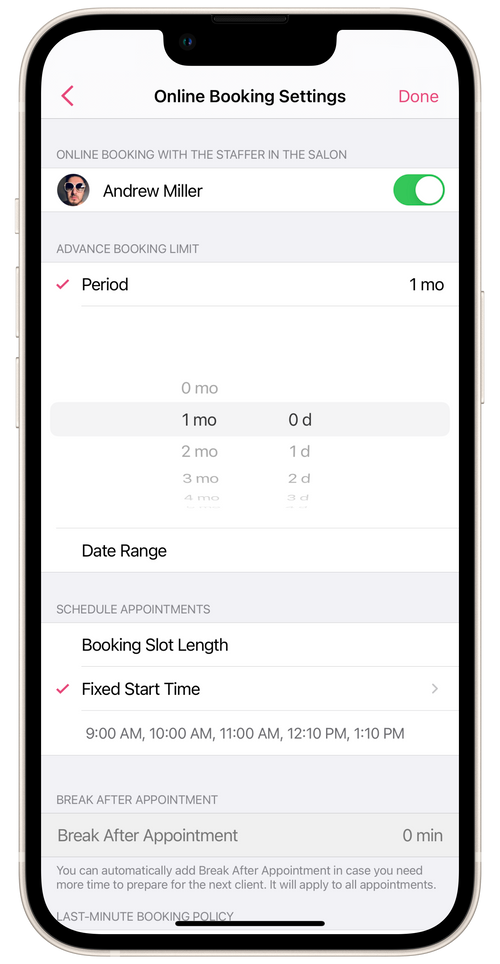
You can configure the advance online booking period for a salon staffer under Settings → Online Booking Settings.
Select the staffer whose online booking length you want to configure. The length determines how far ahead of time clients can book the staffer online.
Period
Section titled “Period”If you set an online booking length for the staffer of, say, one month, then clients will always be able to book time with the staffer up to one month ahead of the current date.
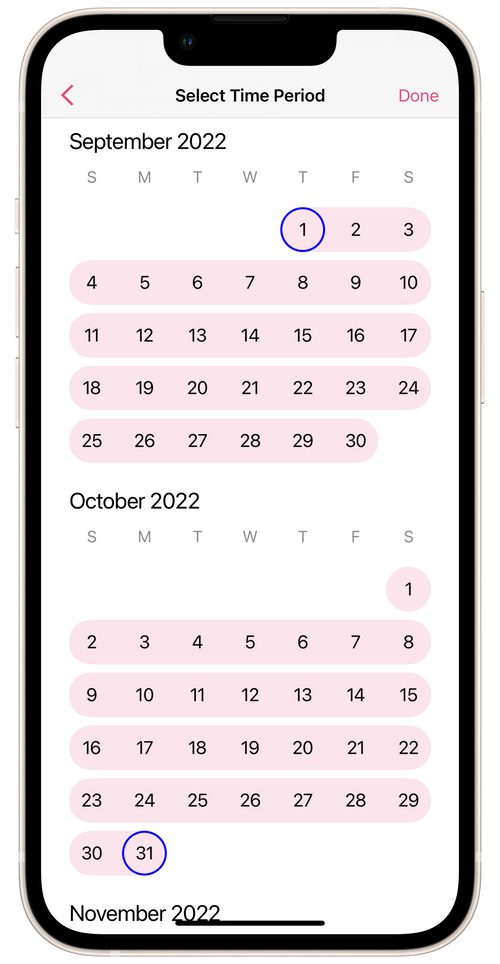
Date Range
Section titled “Date Range”If you set an online booking period for a staffer say, from September 1st to October 31st, then booking that staffer will be possible only within that period. Before the start of the period and after it ends, online booking with the staffer will be unavailable.
► You can also configure the staffer’s online booking in their profile at the salon. Go to Menu → Staff Members, select the staffer you want and open Online Booking on their profile screen.