

Work stations
💡 We recommend using the Booths & Stations function if you have more staffers in your salon than you have workstations, for example, three employees and only one workstation - chair, table, etc. The Booths & Stations function helps to prevent overlapping appointments among staffers who use the same workstations: if one staffer already has an appointment at this workstation, then another staffer will not have an available time slot, since the workstation is already occupied.
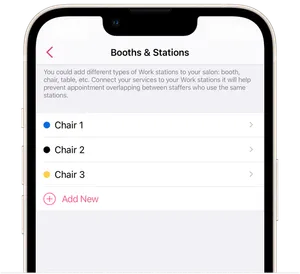
You can add workstations in the salon under Settings → Booths & Stations:
- Tap Add new, for example, Booth, Chair, Table, etc.
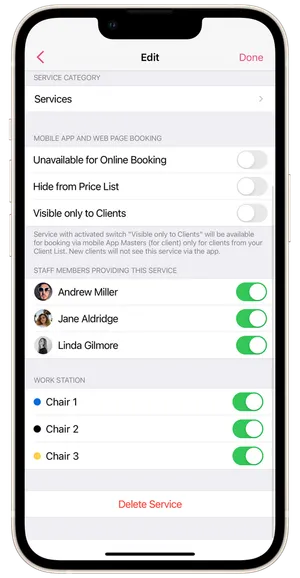
- Then go to Settings → Services and Products, and, under each service, activate the workstations where staffers will provide it.
- If your salon has more than one staffer and one workstation, then during booking a time when the workstation is occupied by one of the staffers, a warning will appear. When clients book online with a staffer, time slots will not appear as available when the workstation is occupied by another staffer.
- If your salon has more than one workstation, then booking will be possible with more than one staffer at the same time and date. For example, your salon has two staffers with the same schedules, and you have added two workstations – Chair 1 and Chair 2 – and linked them to all salon services. Then if the first client already has a client booking on August 10th at 1 PM and that booking indicates Chair 1, then the second staffer will have an available time slot on August 10th at 1 PM only at the workstation Chair 2.
⏵ Please note that for appointments created on the salon calendar before the activation of Booths & Stations, you will need to change the services to ones that have been linked to workstations.