

Salon profile settings
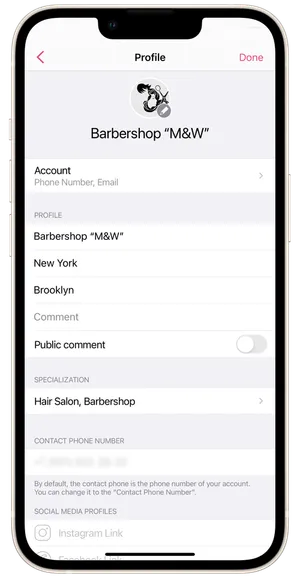
You can configure the salon’s profile under Settings → Profile.
Profile Picture setup
Section titled “Profile Picture setup”You can select an image from the gallery or open the camera and take a new photo.
Salon info
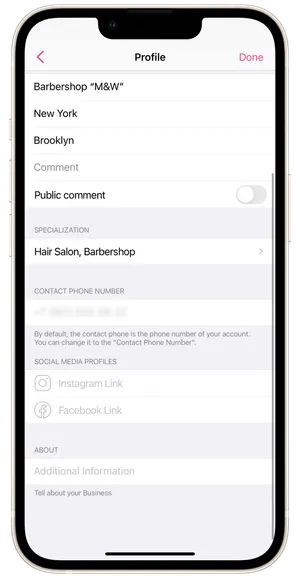
Section titled “Salon info”Give the name of the salon, city where it is located, and address. Add a comment to the address if needed, and select who can see it.
Specialization
Section titled “Specialization”Choose one of multiple specialties of the salon from the suggested list, or add your own. The salon’s specialty will be visible on its Online Booking Page.
Contact phone number
Section titled “Contact phone number”This number will be displayed on the online booking page of the salon in the Information section. The contact number of the salon can be changed. By default, the contact number of the salon is the number to which you registered the salon account.
Social Media
Section titled “Social Media”Add your salon’s social media accounts. Clients will see the links on your online booking page; they can follow them and connect with you.
Give more information about the salon. For example, when it opened, staff qualifications, how to find you, etc. There is no character limit in the description. This information will also be displayed on the salon’s Online Booking Page.
Don’t forget to save your changes!