

Staffer services settings
In a staffer’s profile, you can configure their specialty, revenue percentage, and services at the salon.
Specialty
Section titled “Specialty”Choose staffer specialty from the list or add your own manually.
Staffer Commission
Section titled “Staffer Commission”Configure the staffer’s revenue percentage depending on how it is calculated: from service cost or from the total appointment sum.
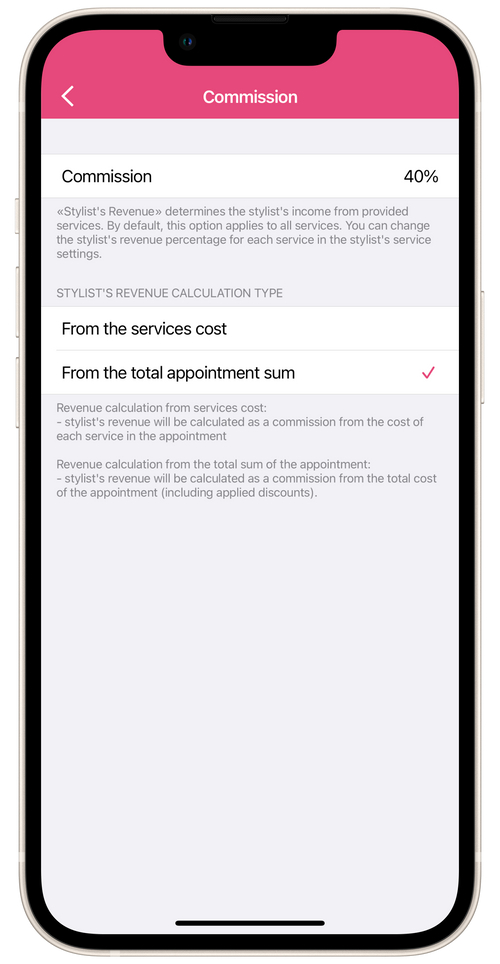
- From service cost: revenue will be calculated as the sum of the income from the cost of each service in a client appointment.
- From the total appointment sum: revenue will be calculated from the total cost of all client appointments. This percentage is calculated on the basis either of the percentage of staffer income of individual services, or it can be set manually in the staffer appointment in the salon.
Services
Section titled “Services”In this section you can can change the list of services that a staffer provides at the salon. This staffers service list will display those services that are linked to the staffer under Settings → Services and Products.
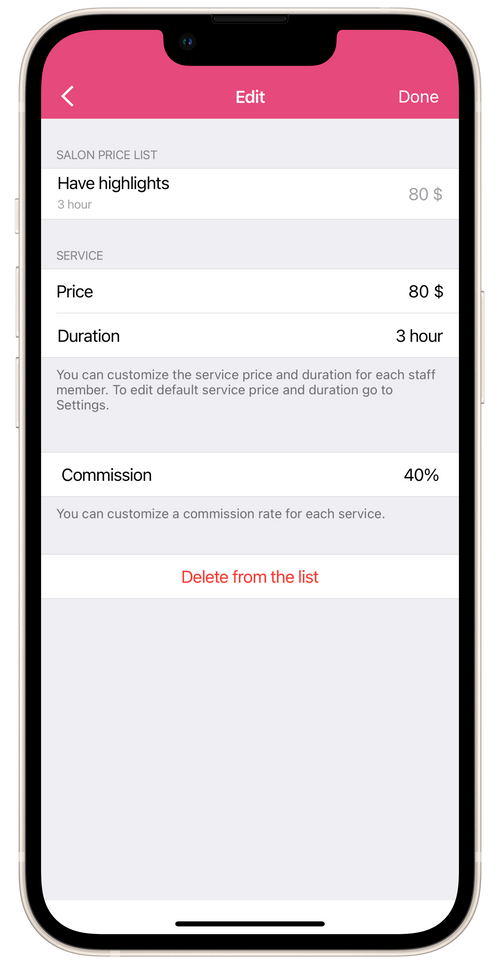
When you open a service from the staffer’s list, you can see its name, price and duration as set up in the salon’s price list under Settings → Services and Products. Below, you can configure individual prices and durations of services for certain staffers. You can use this if, for example, your salon has separate groups of top staffers and trainee staffers with less experience, and therefore, different duration and prices of services.
When editing services on the staffer’s profile, you can also set up a revenue percentage for each service separately.