

Last-minute booking policy
Limited Online Booking for a staffer can be configured under Settings → Online Booking Settings. Select the staffer for whom you want to set a limit.
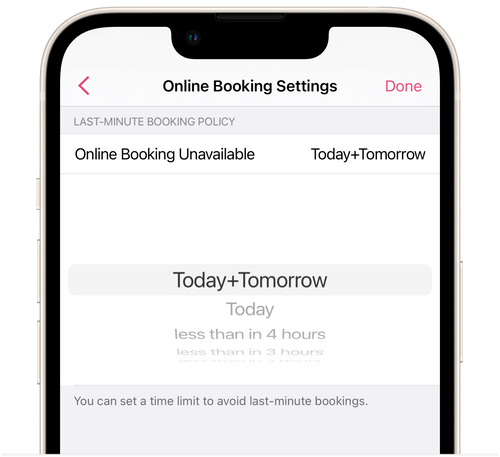
Limited Online Booking helps avoid new online bookings appearing at the last moment. For example, if you want clients not to be able to book at the salon less than three hours before their appointment with a staffer, you can set the online booking limit Today+Tomorrow. With this setting, clients will be able to book with a staffer at the salon only at least two days ahead of time on the latest date in the calendar.
► You can also set up limited Online Booking for a staffer online profile page at the salon. Go to Menu → Staffers, select the staffer, and go to Online Booking in their profile.