

Discounts
You can add discounts under Settings → Discounts and Promotions.
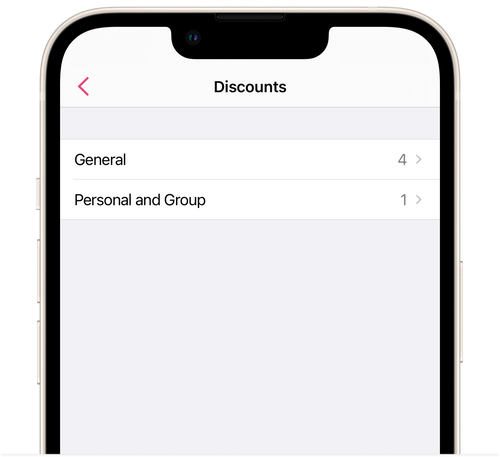
General discount
Section titled “General discount”A general discount can only be applied manually on the client’s salon booking under Schedule.
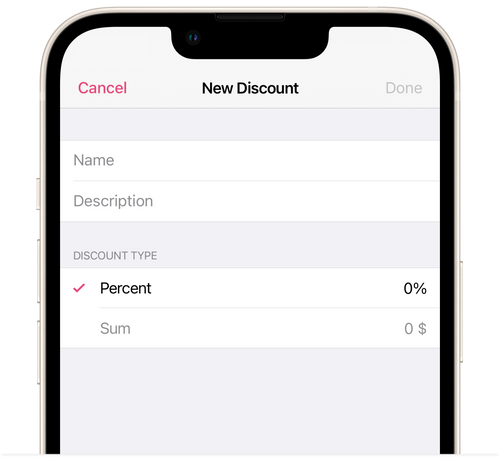
- Go to General.
- Tap Add New Discount.
- Give the name of the discount, a description (if needed), and the percentage or sum being discounted.
- Tap Done.
Personal or group discount
Section titled “Personal or group discount”A personal or group discount will be applied automatically to the client’s booking. The discount will be applied if you independently book a client for a beauty professional in a salon under the Schedule section, or if the client books at your salon online. The client will see the amount of the discount when booking online.
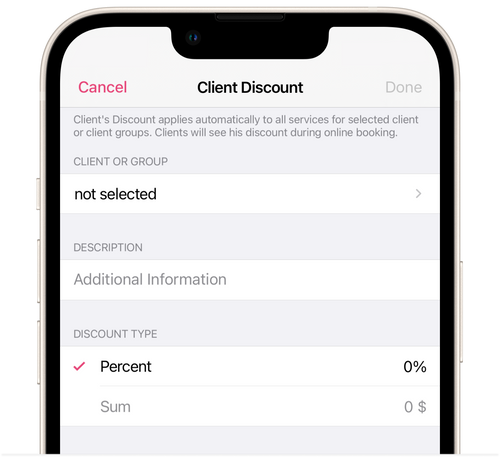
- Go to Personal and Group.
- Tap Add New Discount.
- Select which client or group the discount should be applied to.
- Add a description of the discount, if necessary.
- Give the percentage or sum of the discount.
- Tap Done.