

Add service category
You can add a service category under Settings → Services and Products.
- Open the section and tap Categories in the top right corner.
- Create a new service category and tap Done.
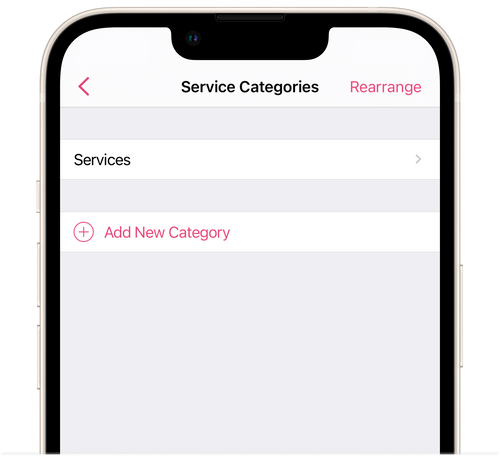
- Configure the display order for categories on the online booking page by tapping Rearrange in the top right corner.
- Save the changes.
When you register for the salon app, the category Salon services is added automatically.
Tap on the desired category to open the Edit Category screen. On this screen, you can edit the name of the category and order of services within it, or you can delete it.
⏵ If you delete all service categories, then you won’t be able to add new services without a category. First you will have to create a service category, and then add services to it.