

Add clients
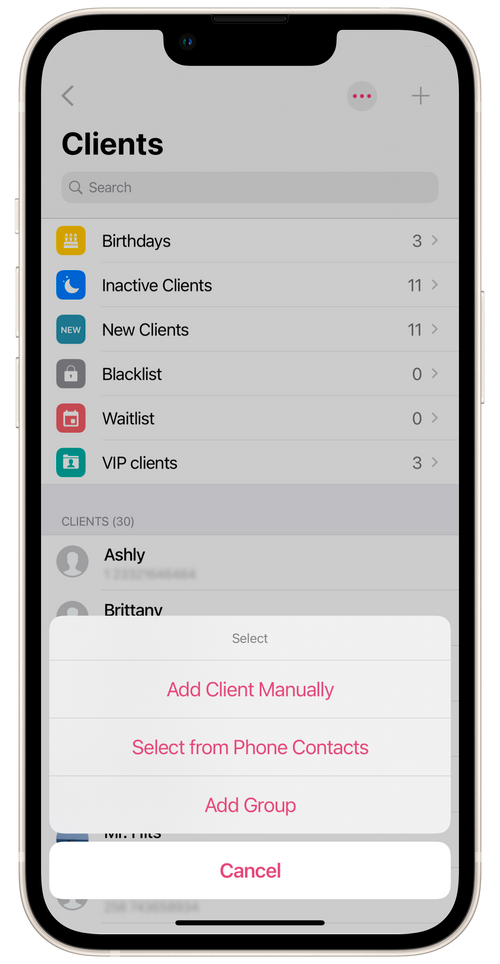
You can add clients in the salon app manually or from your phone contacts under Menu → Clients.
Manually
Section titled “Manually”Go to the Clients section, tap on the + icon, and select Add Client Manually.
Enter the client’s first name and phone number (required), and other information. If you like, select Add to address book.
From phone contacts
Section titled “From phone contacts”Go to the Clients section, tap on the + icon, and tap Select from phone contacts. Select one or more clients from contacts and add them to your Client List in the app.
Please note that to add clients from your address book, you first need to allow access to your phone contacts. You can allow this in your device’s settings for the Masters Salon app.
Salon staffers do not see the salon’s client database in their Masters Pro apps. Only the client’s name and appointment details are displayed to the staffer.