

Bells icons in the schedule
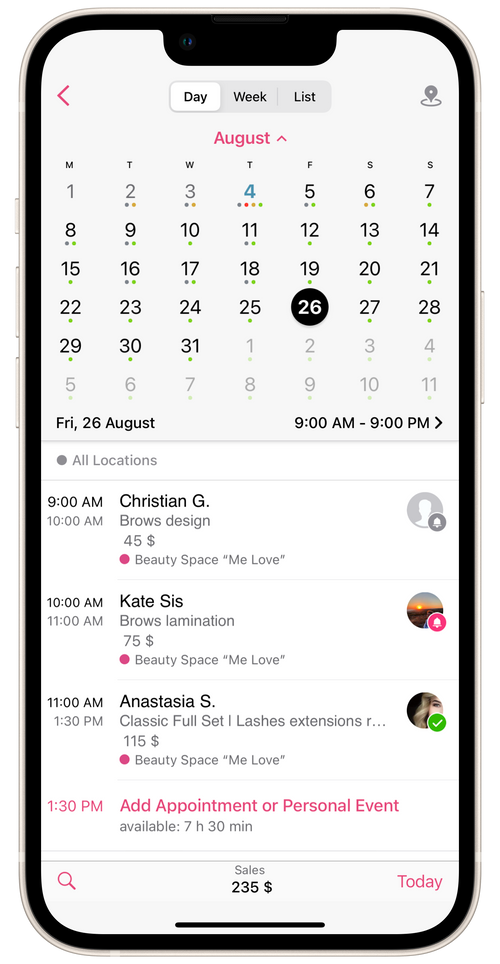
In the Calendar section, every client icon in the booking has either a bell or a checkmark on it. Each has a different meaning:
Grey bell icon - there is a client appointment reminder ready and waiting to be sent.
Pink bell icon - you’ve sent an appointment reminder and are awaiting client confirmation.
Green checkmark icon - client booking confirmation received.
💡 To see confirmation of the client appointment (that is, so that the bells and check marks are displayed on every appointments in the schedule), you’ll need to turn on the Client Appointment Confirmation function under Settings → Client Reminders & Notifications.
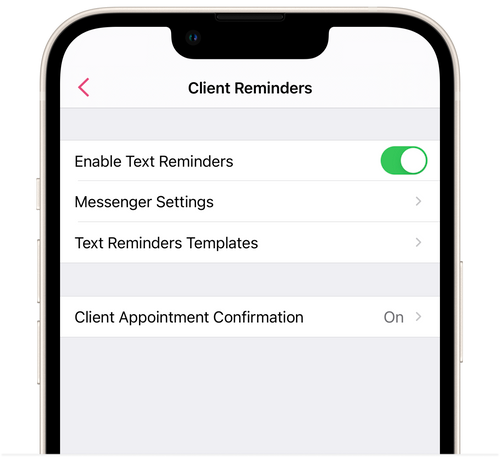
You can find more details about this function in the article Client Appointment Confirmation.