

Staffer's online booking slot length
You can set up a staffer’s scheduling type for online booking at the salon under Settings → Online Booking Settings. Select the staffer whose time slot length you want to configure.
There are two ways to create available time slots for staffers:
Booking Slot Length
Section titled “Booking Slot Length”Slot Length – a length of time that will be used for each new available time slot for the staffer’s online client booking. For example, if you have the staffer’s booking slot at the salon set at two hours, then a new time slot will be available for booking each hour after the start of the staffer’s working day: 9:00 AM, 11:00 AM, 1:00 PM, 3:00 PM, etc. If there is a client appointment at some point, then the staffer’s next available time slot will start immediately after this appointment, and so on every two hours.
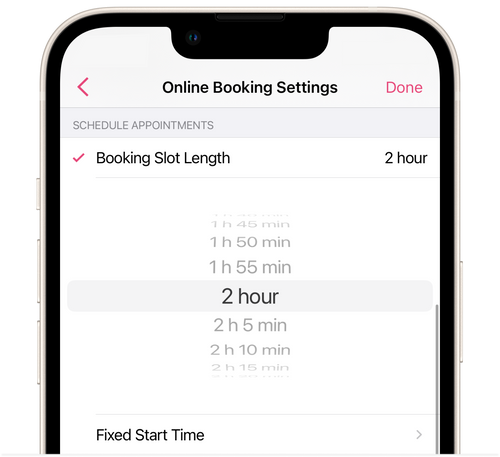
💡 This setting allows for a more effective use of the staffer’s available time and the creation of a more fully-booked working day.
Fixed Start Time
Section titled “Fixed Start Time”Fixed Start Time is specific hours for booking clients. For example, if you have set up a fixed booking start time for staffer at 9:00 AM, 10:00 AM, 11:00 AM, 12:10 PM, and 1:10 PM, then the client will be able to book services with the staffer only at those times.
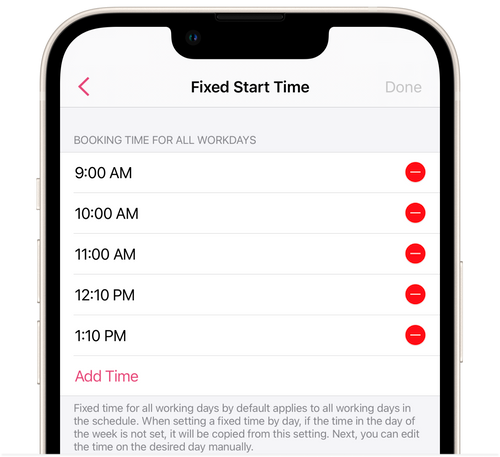
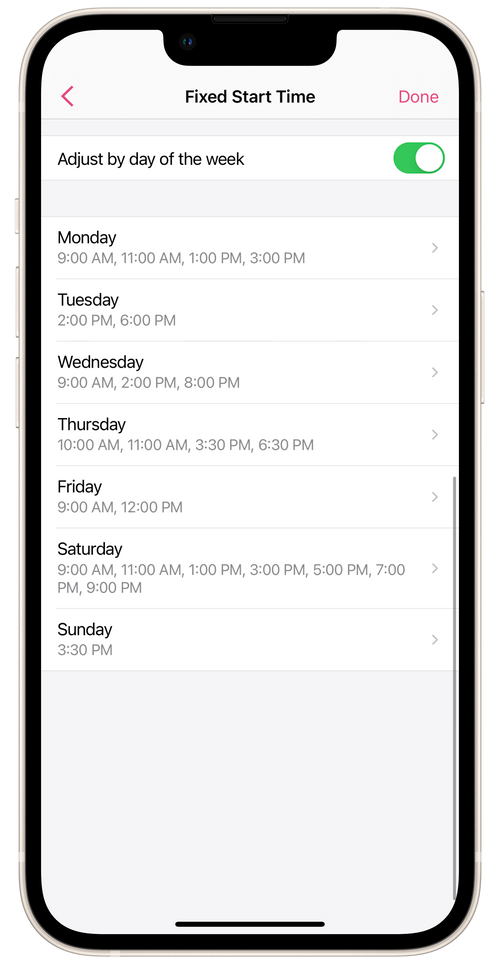
You can configure Fixed Start Time for the staffer for each day of the week. Tap Fixed Start Time and turn on the Adjust by day of the week option. Add start times for each day of the week and tap Done.
► A staffer’s online booking slots can also be configured on their profile with the salon. Go to Menu → Staff Members, choose the staffer you want, and open Online Booking on his profile.