

Create personal event or break
Open the Calendar section and tap Add Appointment or Personal Event.
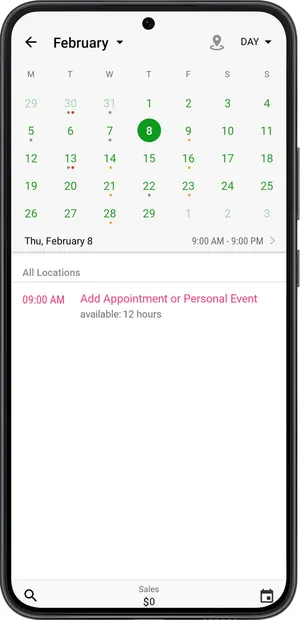
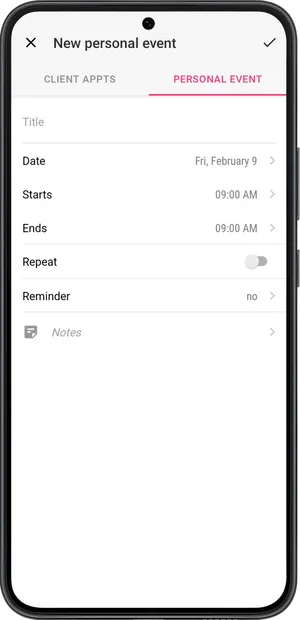
-
Select tab Personal Event at the top of the screen.
-
Enter a name.
-
Configure the date, start time, and end time.
-
If necessary, set the event to repeat.
- Enter the end date of the repeating. In this case, the event will repeat every day until the date you enter.
- Configure the day of the week on which the event will repeat. In this case, the event will repeat until the date you have entered on the selected day of the week.
-
Configure reminders as needed. The app will send you reminders.
-
You can add personal notes to each event.
-
Save.
The Personal Event will be displayed in your schedule. If necessary, you can change or delete it.
💡 If you have set up a repeating event, you can delete them all at once, or only one on a specific day. To delete all at once, find the date in the calendar when the event you want to delete begins, tap on it, then tap the Delete button, and choose This and future events.