

Staffer profile settings
You can configure your profile under Settings → Profile.
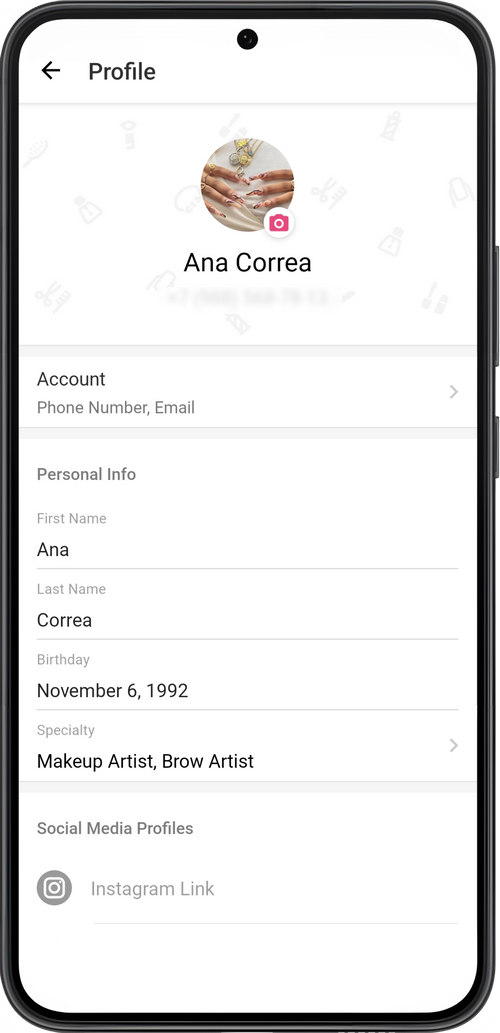
Set up Profile Photo
Section titled “Set up Profile Photo”Tap the image above your name. You can choose a photo from the gallery on your phone, or open the camera and take a new one. If desired, remove the avatar. To upload a photo, you need to allow our app to have access to your camera and gallery in your phone settings.
Profile Data
Section titled “Profile Data”Enter your first and last name and date of birth.
Specialty
Section titled “Specialty”Choose one of more specialties from the suggested list, or add your own.Your specialty will be displayed on your web page and on the client’s mobile app.
Social Media Profiles
Section titled “Social Media Profiles”Enter links to your social media accounts. Clients will see them on your online booking page and on the app, and they will be able to connect with you.
Enter more information about yourself. For example: your work experience, your conditions for providing service, additional information about your business, etc. The description has no character limit. This information will also be displayed on your online booking page.
💡 Don’t forget to save your changes.