

Export client contacts to your phone address book
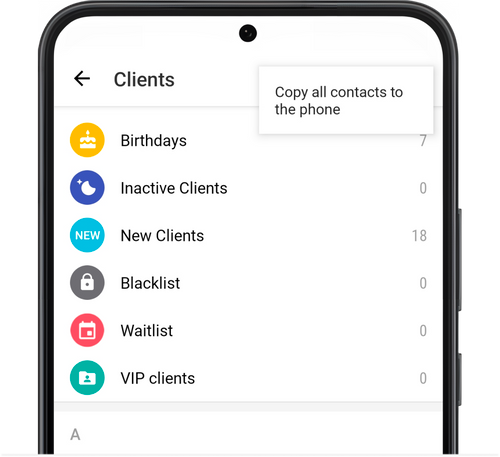
To copy all contacts from your client database to your phone address book, go to Menu → Clients, tap the three dots at the top and choose Copy all contacts to the phone.
If desired, so that newly added clients are saved simultaneously both to the app and to your phone’s address book, activate the sync function for copying client contacts to your phone. This can be done under Settings → Export to Phone Contacts.